
Smart clinic appointment & queue management
Run a Smarter Clinic.
Give Every Patient
a Better Experience.
Simplify doctor appointments, reduce reception workload, and keep patients informed with digital tokens and live queue tracking.
- Less Waiting
- More Efficiency
- Happier Patients

Dr. Sample Name
General Physician
Booked for
SelfDigital Token
15
Your Token Number
Live Queue Status
LiveCurrent Token
12
- 11
- 12
- 13
- 14
- You15
Simulated interface for illustration. Not a real clinic dashboard or real patient data.
-
Online Appointment
Book slots with your preferred doctor.
-
Digital Token
Receive a digital token with QR code after booking.
-
Live Queue Tracking
Follow token progress in the Live Tracker.
-
My Bookings
View your bookings and plan your arrival.

The everyday friction
Busy clinics shouldn’t
feel this chaotic.
Managing appointments and queues by hand wears out the waiting team, fills the phone with follow-ups, and creates unnecessary delays for patients.
-
Manual appointments
Phone calls, walk-ins and handwritten registers make it hard to know who is booked when, which doctor, and when.
-
Repeated patient enquiries
"Is the doctor available?" and "What is my token number?" Staff answer the same questions again and again.
-
Reception workload
Booking, token handling and patient updates all land on the front desk at the busiest moments.
-
Unclear queue status
Patients can't tell how far the queue has moved, so they crowd the waiting area and keep asking.
Benefits for clinics
Less front-desk
noise. More
time for care.
Move routine booking and queue questions out of the waiting room and into patients' hands.
Book a Free Demo-
Organised appointment flow
Every booking is tied to a doctor, a date and an available time slot, giving the day a clear structure.
-
Digital tokens
Each confirmed booking produces a digital token with a QR code, replacing paper slips and manual numbering.
-
Better patient communication
Patients get a booking confirmation and can check My Bookings themselves, so fewer questions reach the front desk.
-
Live queue visibility
Patients can track token progress in the Live Tracker and plan their visit instead of waiting in a crowded room.

How the patient app works
From Booking to Live Queue in 5 Simple Steps
A simple journey from secure login to confirmed appointments and real-time queue tracking.
-
Step 1: Login & Verification
Patients verify their mobile number using OTP and securely access their account using MPIN.
-
Step 2: Select Clinic & Doctor
Find a clinic, browse specialties and choose the preferred doctor.
-
Step 3: Choose Date & Time
Select an available appointment slot and choose yourself or a family member.
-
Step 4: Confirm Appointment
Review the booking, complete payment where applicable and receive a digital token with QR code.
-
Step 5: Track Live Queue
Follow live token progress, check appointment details and plan your clinic visit.
Digital token & live queue
Every appointment
comes with a token
patients can follow.
-
Digital token with QR code
Once a booking is confirmed, the patient receives a digital token that carries a QR code.
-
Live queue tracking
In the Live Tracker, patients follow token progress and plan their arrival instead of asking at the desk.
-
My Bookings
Patients can view their bookings and return to their token whenever they need it.
Digital Token
Confirmed15
Next Patient: 12
LiveIllustrative demo data. The QR pattern is decorative and not scannable.
Product interface
See the patient experience
The screens your patients use to book and follow their appointment.
-
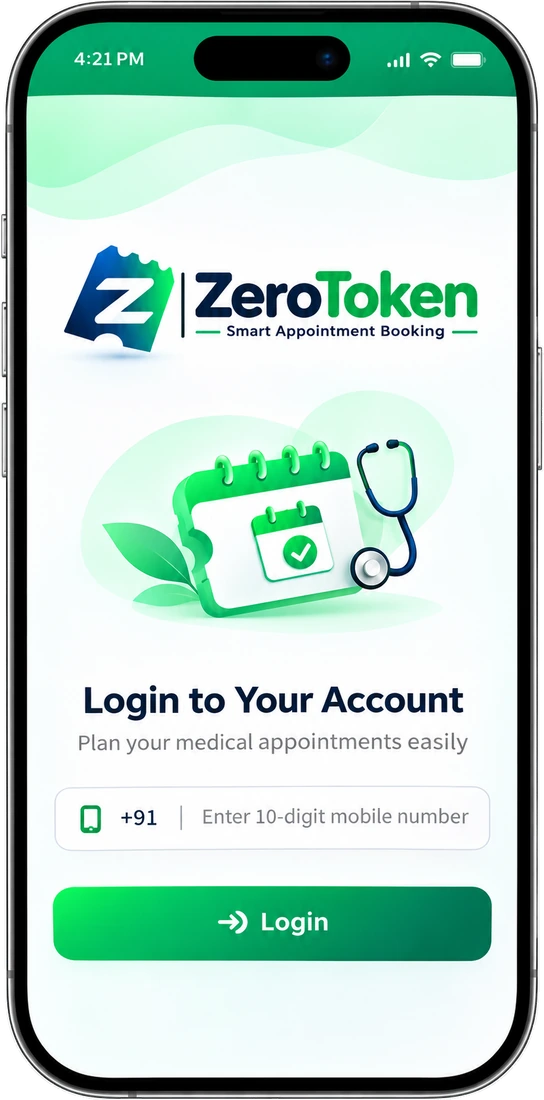
Step 1: Secure Mobile Login
Sign in with a mobile number.
-
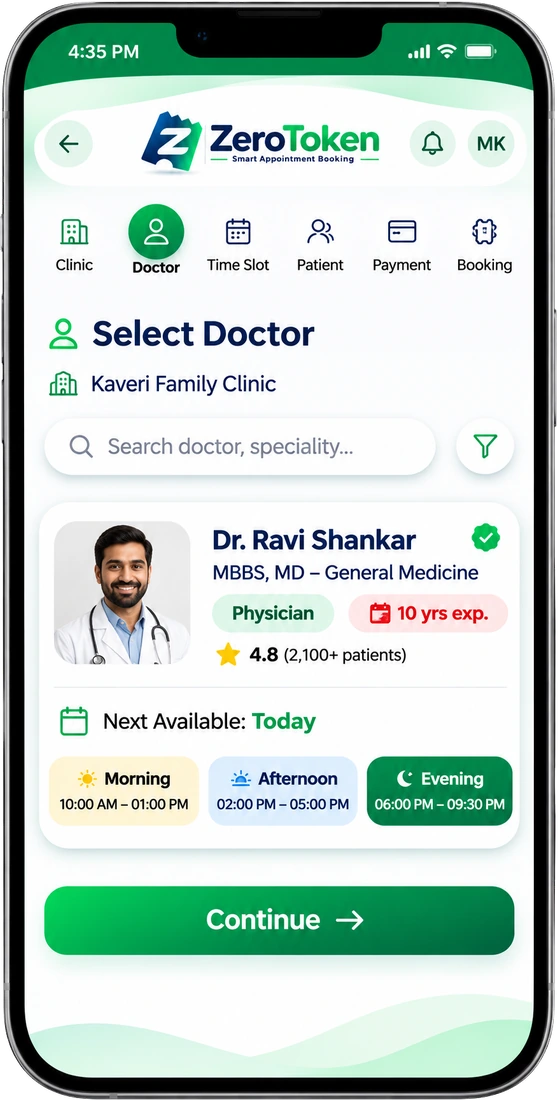
Step 2: Choose Your Clinic & Doctor
Pick a clinic, then a doctor.
-
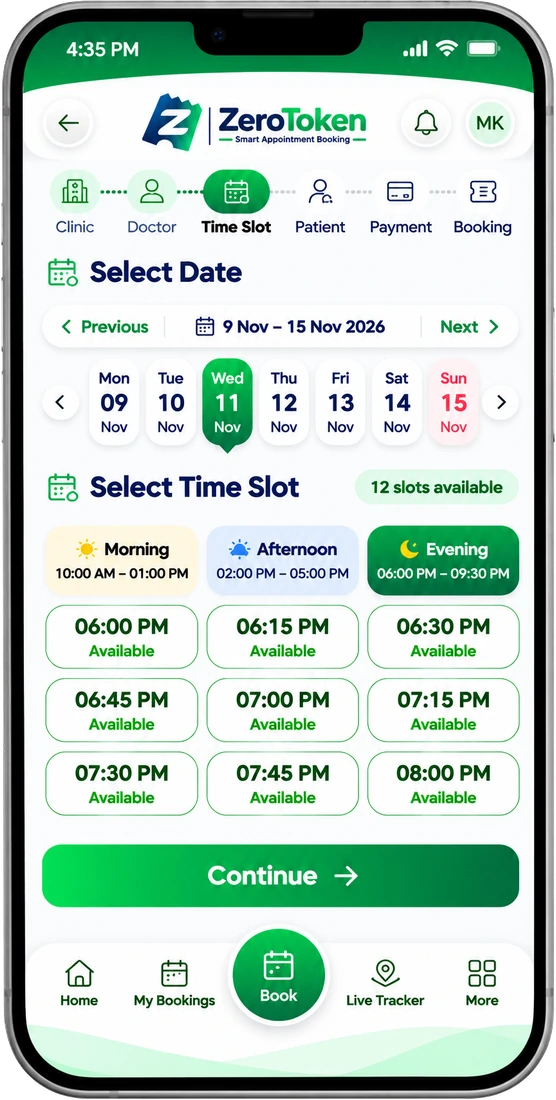
Step 3: Pick Your Appointment Slot
Choose a date and a time slot.
-
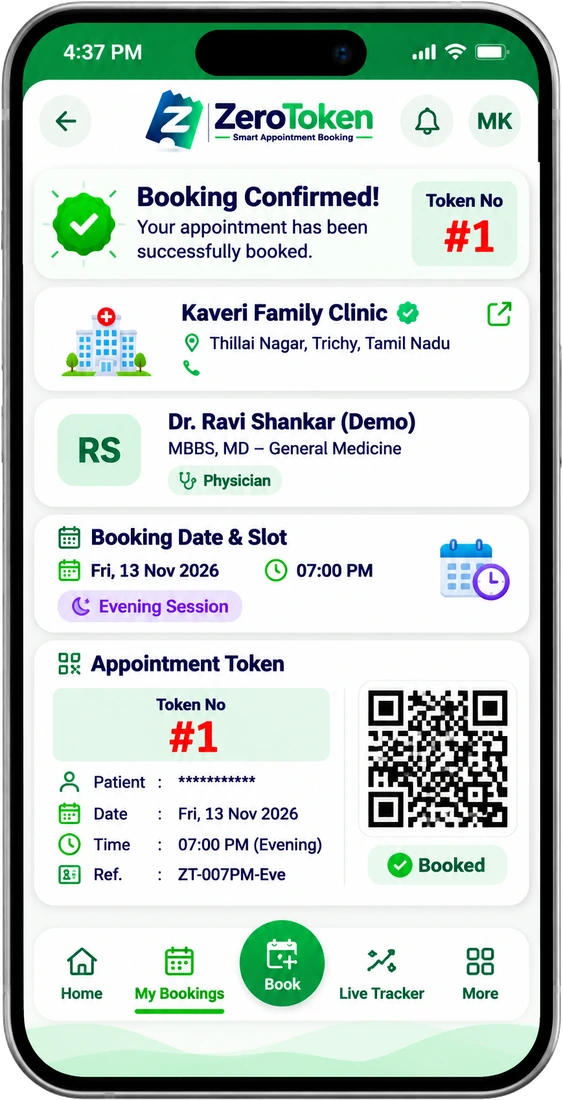
Step 4: Get Your Digital Token
Token number with a QR code.
Sample data. Personal and payment details are masked.

ZeroToken is a smart clinic appointment and queue management platform that helps patients book appointments, receive digital tokens and follow their queue progress.
Patients enter their mobile number, verify it using an OTP and set a four-digit MPIN to access their account.
Patients can select a clinic, choose a doctor or specialty, pick an available date and time slot, and book for themselves or a family member.
Where online payment is enabled, patients can review their booking details and complete payment securely before confirmation.
Patients receive a booking confirmation with a digital token and QR code. They can access the details again through My Bookings.
This website introduces the ZeroToken platform to clinics and hospitals. Patients use the dedicated patient application to book appointments and track their tokens.
You can request a free demo, and our team will explain how the appointment and queue management system can support your clinic.
Book a Free Demo
See it in action
for your clinic.
Tell us a little about your clinic and our team will get in touch to walk you through ZeroToken.
- A walkthrough of the patient booking experience
- Ask questions about your clinic's needs
- Talk directly to the Maxions Technologies team
Request a Free Demo
Share your details and we'll get in touch soon.